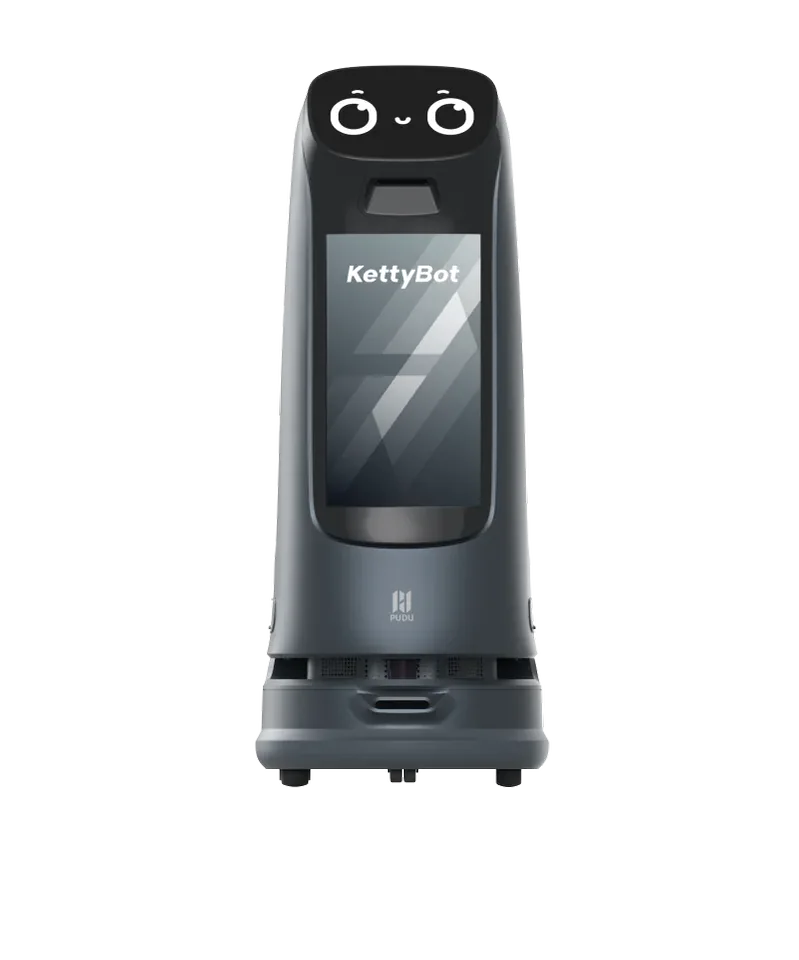
Greeting and guidance
Consider a screen-led welcome, promotional content or a defined guidance route.
What to verifyApprove the exact script and route; test near queues and display stands.
Explore PUDU KettyBot Pro
Events & exhibitions · Saudi Arabia
Reception, guided routes or remote presence: choose a useful interaction, then rehearse it with the venue, content and operator who will run the event.
Start with the operation
A successful event deployment depends on a repeatable interaction and a clear fallback. A robot’s appearance alone is not an event plan.
Write the greeting, route or screen interaction. Decide what a visitor should understand or do next.
Test crowd flow, content, sound, connectivity and recovery with the actual operator.
Assign supervision, charging windows and a staff alternative when the interaction cannot continue.
Where equipment fits
These examples help define the scope. Final equipment, quantities and configuration follow the site assessment.
Consider a screen-led welcome, promotional content or a defined guidance route.
What to verifyApprove the exact script and route; test near queues and display stands.
Explore PUDU KettyBot Pro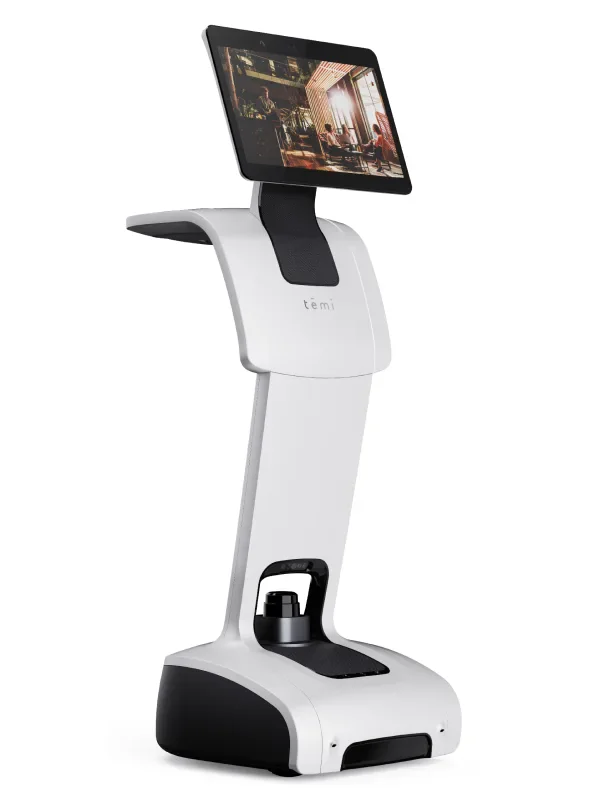
Assess a telepresence workflow for a remote host or an on-screen visitor interaction.
What to verifyTest network quality, audio, privacy and operator controls at the venue.
Explore temi V3Your site. One project.
Tell us the dates, venue, audience and what the robot should do. We’ll match the role to equipment and an operating plan, with short-term rental quoted per day.
Site requirements
Use these checks to define the proposal, the responsibilities and the acceptance test.
Floor layout, crowd density, access and operating hours.
Set a safe working area and identify where an operator can recover the robot.
Approved text, audio, screen assets and interaction steps.
Test English and Arabic requirements on the exact configuration before confirming them.
Screen content and any proposed physical branding.
Check approved surfaces and installation methods; keep sensors and safety markings clear.
Transport, setup, rehearsal, supervision and charging.
Include the full attendance window, not only the hours guests are present.
Pilot and decision
Measure a representative operation before and during the trial. Use the results to decide what to change, where to expand and whether the project makes economic sense.
Check that visitors reach the intended outcome, not just that they approach the robot.
Measure waiting, staff interventions and reset time.
Confirm content approval, connectivity, charging and the operator’s fallback plan.
The proposal should define equipment, site preparation, integration work, training, acceptance criteria and service responsibilities. Savings and payback require your operating baseline.
Explore the equipment
Compare the actual configuration and requirements. These are equipment options, not a claim that a complete site system is included.
Four ways to deploy
All four options can be requested. Configuration, availability, minimum term and service scope are confirmed in your quote.
Own the equipment. The quote defines configuration, deployment and the service package.
Use a robot for an agreed period. Confirm dates, availability, minimum term and setup costs before booking.
Plan for ongoing operation. Equipment, contract term, maintenance and responsibilities belong in the proposal.
Combine the robot with deployment and an agreed operating and service scope. Define monitoring, maintenance and performance measures for your site.
Before you choose
Plan for a named person to supervise and recover the interaction. The staffing scope depends on the robot, venue and approved activity.
Language capability varies by product and configuration. The exact spoken and on-screen interaction must be demonstrated and approved before the event.
Screen assets and physical branding are subject to the chosen product and configuration. Confirm permitted placement without obstructing sensors or safety information.
No general capability should be assumed. A humanoid or specialised filming setup needs a separate brief, supported routine, safety plan and rehearsal. The models shown here are not substitutes for that equipment.
Your site. One project.
Tell us the dates, venue, audience and what the robot should do. We’ll match the role to equipment and an operating plan, with short-term rental quoted per day.